

Introduction
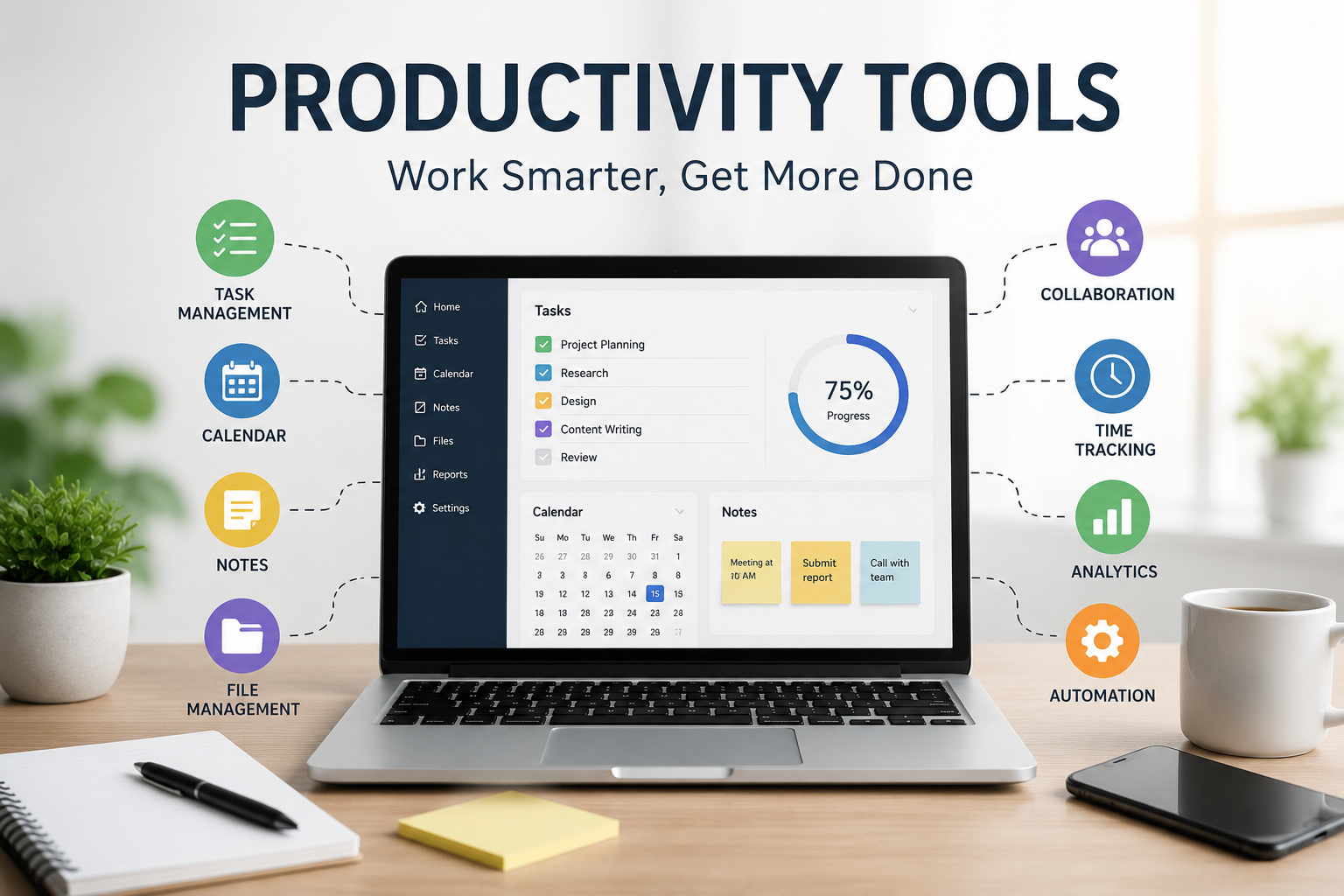
Productivity tools have become an essential part of modern work and daily life. Whether you’re a student trying to stay organized, a freelancer juggling multiple clients, or a business owner managing a growing team, the right tools can dramatically improve the way you work. Instead of relying on memory or scattered notes, productivity tools help you organize tasks, communicate efficiently, manage time, and automate repetitive work so you can focus on what truly matters.
The idea of productivity isn’t about working longer hours. It’s about achieving better results in less time while reducing unnecessary stress. Technology has made this easier than ever by offering solutions for planning projects, tracking progress, storing files, taking notes, and collaborating with others from anywhere in the world. Choosing the right combination of tools can transform your workflow and help you accomplish goals more consistently.
In this comprehensive guide, we’ll explore what productivity tools are, why they matter, the different categories available, how to choose the best ones for your needs, and practical tips for getting the most out of them. By the end of this article, you’ll have a clear understanding of how productivity tools can help you work smarter instead of harder.
What Are Productivity Tools?

Productivity tools are software applications, platforms, or digital services designed to help individuals and teams complete tasks more efficiently. These tools simplify planning, organization, communication, scheduling, collaboration, and workflow management. Instead of spending valuable time on repetitive administrative work, users can focus their energy on meaningful tasks that contribute to their goals.
Modern productivity tools cover nearly every aspect of work and personal organization. Some are built specifically for project management, while others specialize in note-taking, document editing, calendar scheduling, cloud storage, communication, or automation. Many platforms combine several features into a single workspace, making it easier to manage everything without constantly switching between different applications.
One of the biggest advantages of productivity tools is their flexibility. Whether you work remotely, in an office, or from home, these solutions adapt to different workflows and industries. Students use them to organize assignments, marketers plan campaigns with them, software developers track projects, and entrepreneurs rely on them to keep businesses running smoothly.
Why Productivity Tools Matter More Than Ever
Today’s work environment moves incredibly fast. Emails, meetings, deadlines, notifications, and multiple projects can easily overwhelm anyone without a structured system. Productivity tools provide that structure by creating organized workflows where every task has a clear place and deadline.
Remote and hybrid work have also increased the importance of digital collaboration. Team members often work from different cities or even different countries. Productivity platforms allow everyone to communicate, share documents, assign responsibilities, and monitor project progress without being physically present in the same office. This level of collaboration keeps projects moving efficiently regardless of location.
Another reason these tools matter is that they reduce mental clutter. Instead of trying to remember every deadline or idea, users can store everything in a trusted system. This allows the brain to focus on creative thinking, decision-making, and problem-solving rather than constantly remembering small details.
Different Types of Productivity Tools
Task management tools help users organize daily responsibilities through to-do lists, deadlines, reminders, and priority settings. These applications make it easy to break large projects into manageable steps while tracking progress over time. Instead of feeling overwhelmed, users gain a clear roadmap for completing their work.
Project management software is designed for teams handling multiple assignments simultaneously. These platforms include features such as timelines, Kanban boards, workload management, milestone tracking, and reporting dashboards. Managers can quickly identify bottlenecks while team members understand exactly what they need to accomplish.
Communication and collaboration tools allow people to stay connected regardless of location. Instant messaging, video meetings, shared workspaces, file sharing, and real-time document editing eliminate communication delays and improve teamwork. Efficient communication reduces misunderstandings and speeds up decision-making.
Time Management and Scheduling Tools
Managing time effectively is one of the biggest challenges professionals face. Calendar applications, scheduling assistants, and time-blocking tools help users plan their day more intentionally. Instead of reacting to unexpected interruptions, people can dedicate specific blocks of time to focused work.
Time tracking software also provides valuable insights into how hours are actually spent. Many users are surprised to discover how much time disappears through distractions, unnecessary meetings, or repetitive activities. Tracking work patterns helps identify opportunities for improvement and better planning.
Pomodoro timers and focus applications encourage deep work by dividing work sessions into focused intervals followed by short breaks. This technique reduces mental fatigue while maintaining concentration throughout the day. Many professionals find that structured focus sessions significantly increase their overall productivity.
Note-Taking and Knowledge Management
Great ideas often appear unexpectedly, making reliable note-taking essential. Digital note-taking applications allow users to capture ideas instantly, organize research, store meeting notes, and build personal knowledge libraries that remain searchable for years.
Knowledge management tools go beyond simple notes by connecting related information through tags, folders, links, and databases. This creates an organized system where information is easy to find whenever it’s needed. Instead of wasting time searching through scattered documents, users can access valuable information within seconds.
Students, researchers, writers, and business professionals particularly benefit from centralized knowledge management. Having all important information available in one organized location improves both learning and decision-making while reducing duplicate work.
Collaboration and Team Productivity
Successful teamwork depends on clear communication and transparency. Productivity platforms allow team members to assign responsibilities, monitor deadlines, leave comments, upload files, and receive updates in real time. Everyone knows who is responsible for each task, reducing confusion and improving accountability.
Shared workspaces also eliminate many communication barriers. Instead of long email chains with multiple attachments, teams can collaborate directly within projects where conversations remain connected to specific tasks. This keeps information organized and easily accessible for everyone involved.
Another major advantage is visibility. Managers can monitor project progress without constantly asking for updates, while employees understand overall project goals and priorities. Better visibility leads to better coordination and fewer missed deadlines.
Automation: The Secret to Saving Time
One of the most powerful aspects of modern productivity tools is automation. Many repetitive tasks, such as sending notifications, organizing files, updating spreadsheets, creating reminders, or transferring information between applications, can happen automatically without manual effort.
Automation reduces human error while freeing valuable time for higher-value work. Instead of spending hours on repetitive administrative tasks, professionals can focus on strategy, creativity, customer relationships, or business growth. Even saving a few minutes each day can result in significant productivity improvements over time.
Businesses increasingly rely on workflow automation because it creates consistent processes. Employees spend less time on routine work while maintaining greater accuracy across operations. This improves efficiency without requiring additional staff or resources.
How to Choose the Best Productivity Tools
Choosing productivity tools isn’t about finding the platform with the longest feature list. The best solution is one that fits your workflow, goals, budget, and daily habits. A simple tool that you use consistently is usually more valuable than a complicated platform filled with features you’ll never touch.
Ease of use should always be a top priority. If software requires extensive training before becoming useful, many users eventually abandon it. Look for clean interfaces, intuitive navigation, and helpful documentation that allows you to become productive quickly.
Compatibility is another important factor. The ideal productivity tools integrate smoothly with your existing software ecosystem. When calendars, emails, documents, messaging apps, and cloud storage work together, information flows naturally without constant copying and pasting between systems.
Common Mistakes People Make
Many people install numerous productivity tools hoping they’ll instantly become more organized. Unfortunately, constantly switching between multiple platforms often creates additional complexity instead of improving efficiency. Keeping your toolkit simple usually delivers better results.
Another common mistake is ignoring customization. Most productivity applications allow users to adjust layouts, notifications, priorities, templates, and workflows. Taking time to personalize these settings creates a system that better matches individual working styles.
Some users also spend more time organizing their productivity systems than actually completing meaningful work. Productivity tools should support work, not become the work itself. Focus on maintaining a practical system that encourages action rather than endless planning.
Tips to Maximize Productivity
Start each day by identifying your three most important tasks. Completing these priorities before addressing less important work ensures meaningful progress even during busy schedules. Productivity tools make it easy to highlight these critical objectives.
Review your tasks regularly instead of allowing old projects to accumulate indefinitely. Weekly reviews help remove outdated items, update priorities, and keep your workspace organized. A clean task list reduces stress and makes planning much easier.
Limit unnecessary notifications whenever possible. Constant alerts interrupt concentration and reduce deep work. Configure productivity tools so that only genuinely important updates demand immediate attention while everything else can wait until scheduled review times.
The Future of Productivity Tools
Artificial intelligence is transforming productivity software at an incredible pace. AI-powered assistants can summarize meetings, generate reports, organize notes, prioritize tasks, suggest schedules, and automate increasingly complex workflows. These capabilities allow professionals to accomplish more with less manual effort.
Future productivity tools will become even more personalized by learning individual work habits and recommending improvements automatically. Instead of simply storing information, software will actively help users make better decisions, optimize schedules, and reduce unnecessary workload.
Integration will also continue improving. Rather than managing separate applications for communication, planning, documentation, and automation, users will increasingly work within unified digital workspaces where information flows seamlessly across every aspect of their daily workflow.
Conclusion
Productivity tools are no longer optional for individuals and businesses that want to stay organized and competitive. They simplify planning, improve communication, reduce repetitive work, encourage collaboration, and help people focus on meaningful tasks instead of administrative distractions. Whether you’re managing personal goals or leading a large organization, the right tools can dramatically improve efficiency and reduce daily stress.
The key to success isn’t using the most popular software—it’s building a workflow that supports your unique needs. Start with a few reliable tools, learn them thoroughly, and gradually refine your system as your responsibilities grow. Consistency always delivers better results than constantly switching between new platforms.
As technology continues evolving, productivity tools will become even smarter through artificial intelligence, automation, and deeper integration. Those who embrace these innovations thoughtfully will enjoy greater efficiency, stronger collaboration, and more time to focus on creative, strategic, and rewarding work. Ultimately, productivity isn’t about doing more tasks—it’s about accomplishing the right tasks in the smartest possible way.